
About Track Tutor
Track Tutor is a multitrack audio learning tool, built by people who got tired of squinting at four separate MP3 file links in a group chat — and even more tired of digging through old emails to find them again, or sheepishly asking the director for them. Again. It's for choirs, choruses, ensembles, and any group of singers who'd rather practice their part than search for it.
Where this came from
Our director mentioned in conversation one day that BHS used to have a multi-track learning tool — a Flash thing that died with Flash. The conversation stuck, and we sat down to see if it could work in a browser. It could.
The first version was just a multi-track player, nothing else. The Northland Barbershop Chorus used it for their 2025/2026 season, and along the way we added playlists and some overall improvements. They kept singing. We kept building.
“We” is a Baritone who's been creating for the web for three decades, plus a chorus willing to test the rebuild. No leadership team. No funding round. Just the app, some conversations, and a roadmap that mostly survives contact with reality.
The mixer approach
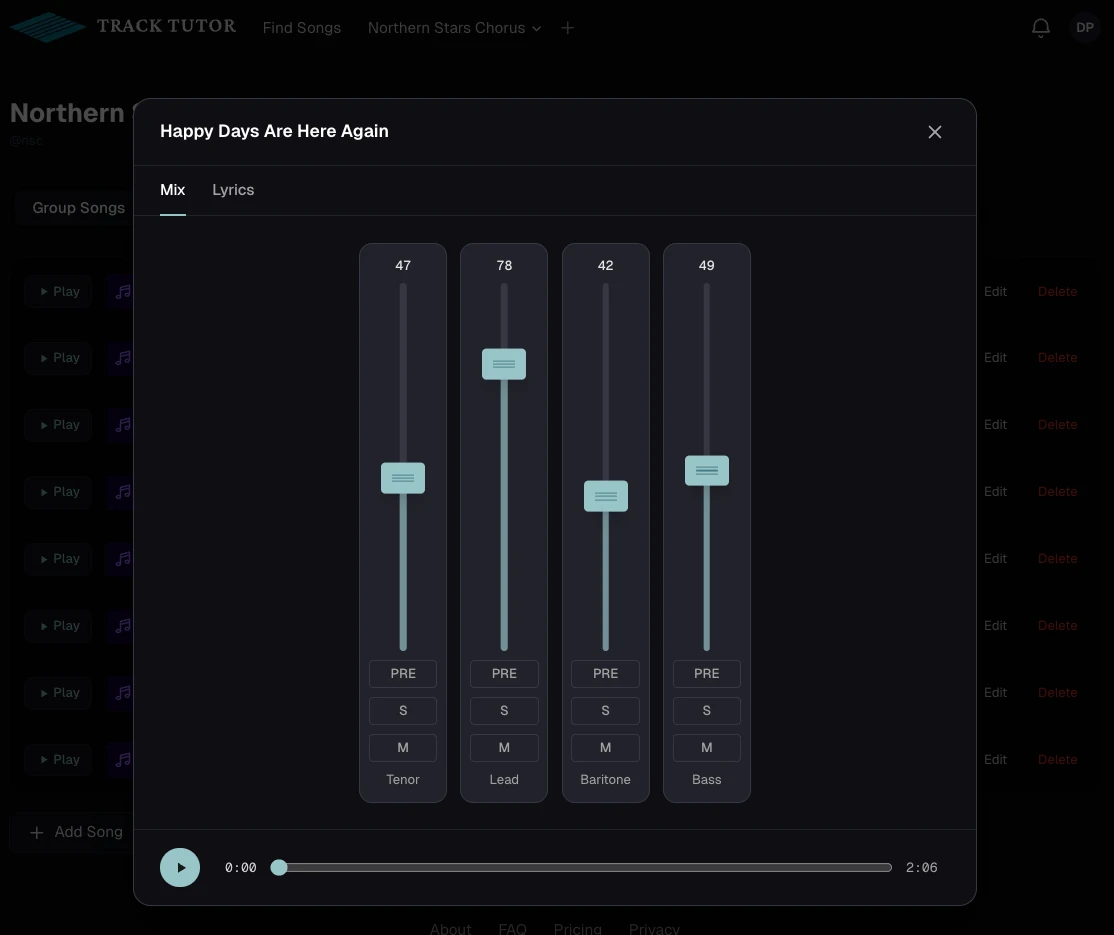
Most rehearsal recordings are a single stereo mix — useful for hearing the song as a whole, but not for the alto trying to find her notes. Track Tutor lets you control up to six separate tracks per song independently, like a studio mixer in your browser. Push your part forward, pull the others back, and you can finally hear what you're supposed to sing without losing the shape of the whole arrangement.
Built for groups
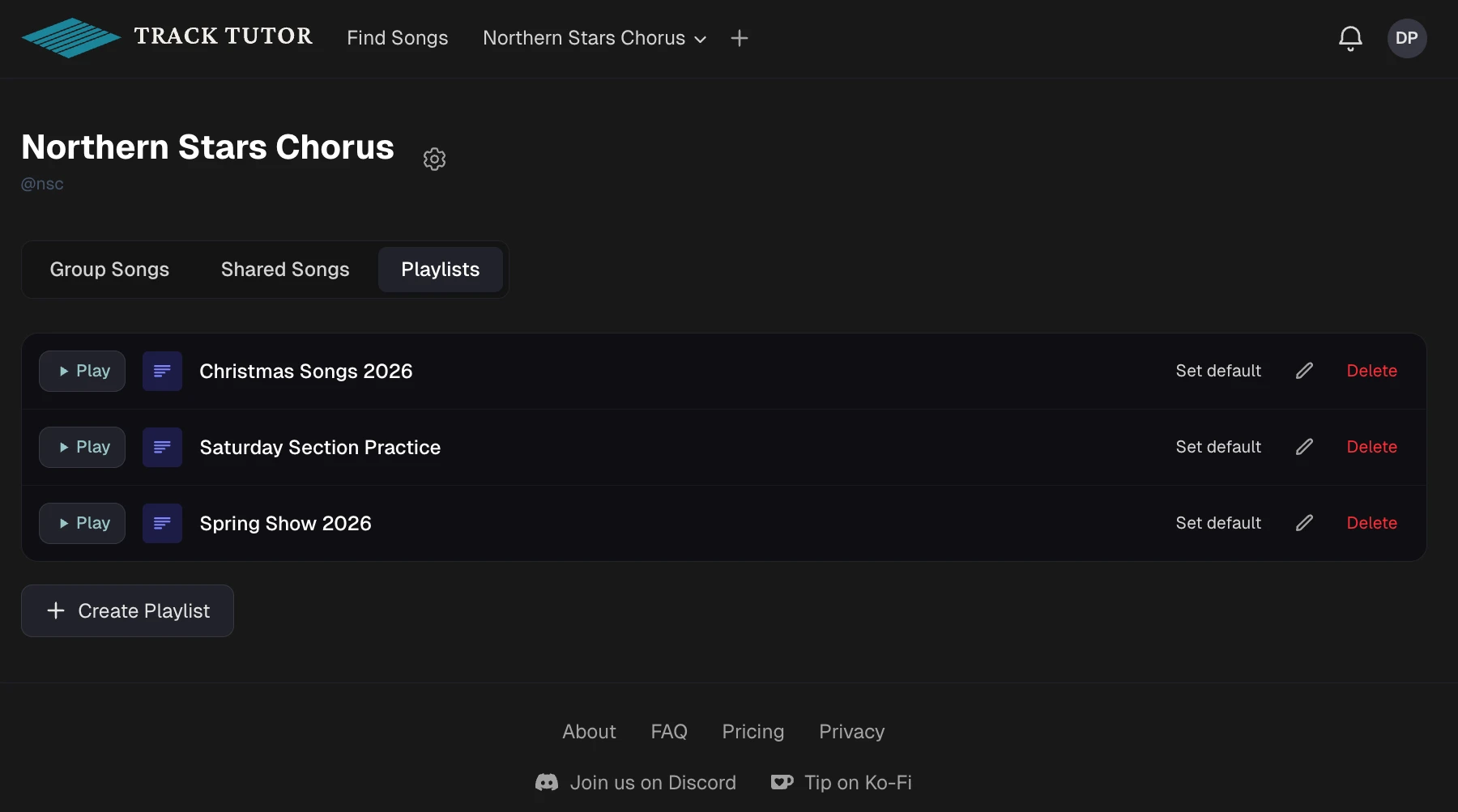
Every song lives inside a group — your choir, your chorus, your quartet. Group owners and managers upload songs, organize them into playlists, and assign voice parts. Members log in and immediately have what they need: a list of songs to learn and a player that gives them control over what they hear.
Designed around how singers practice
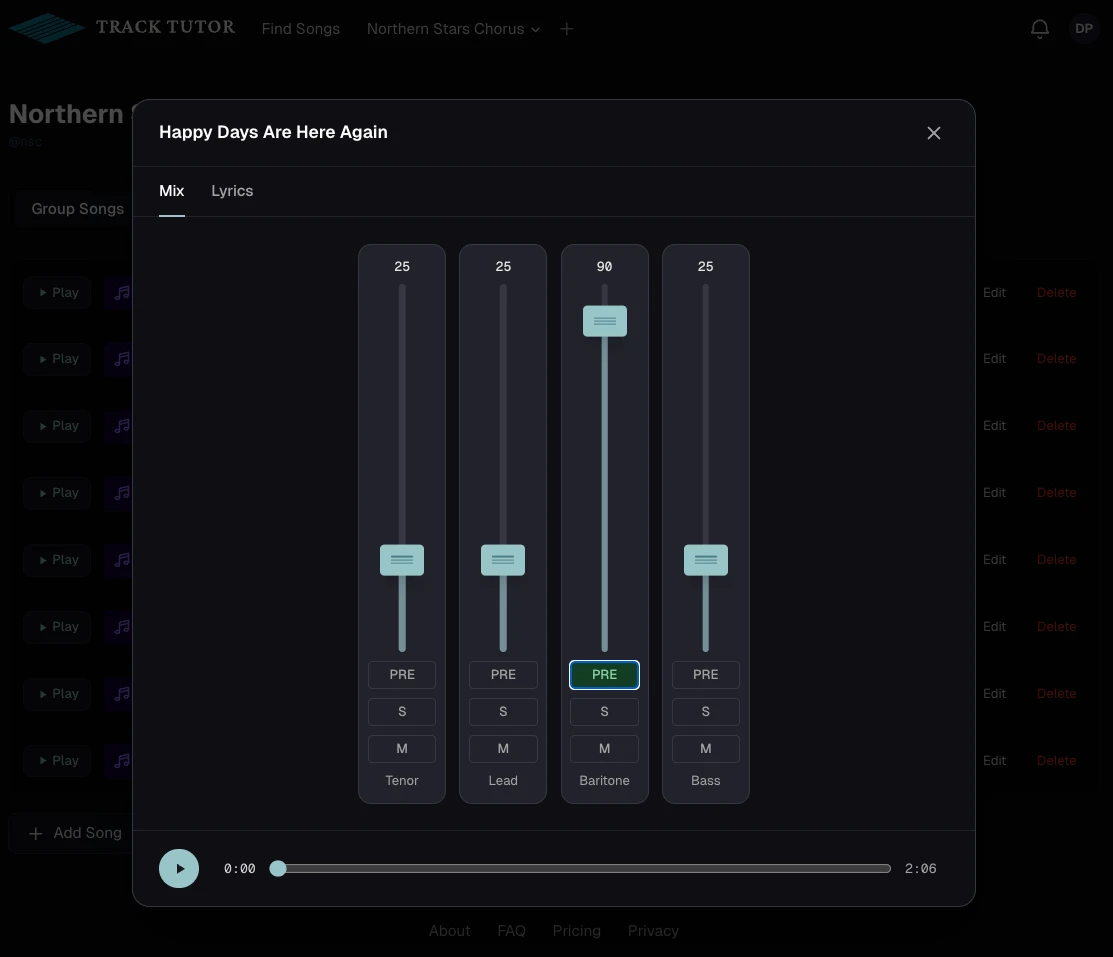
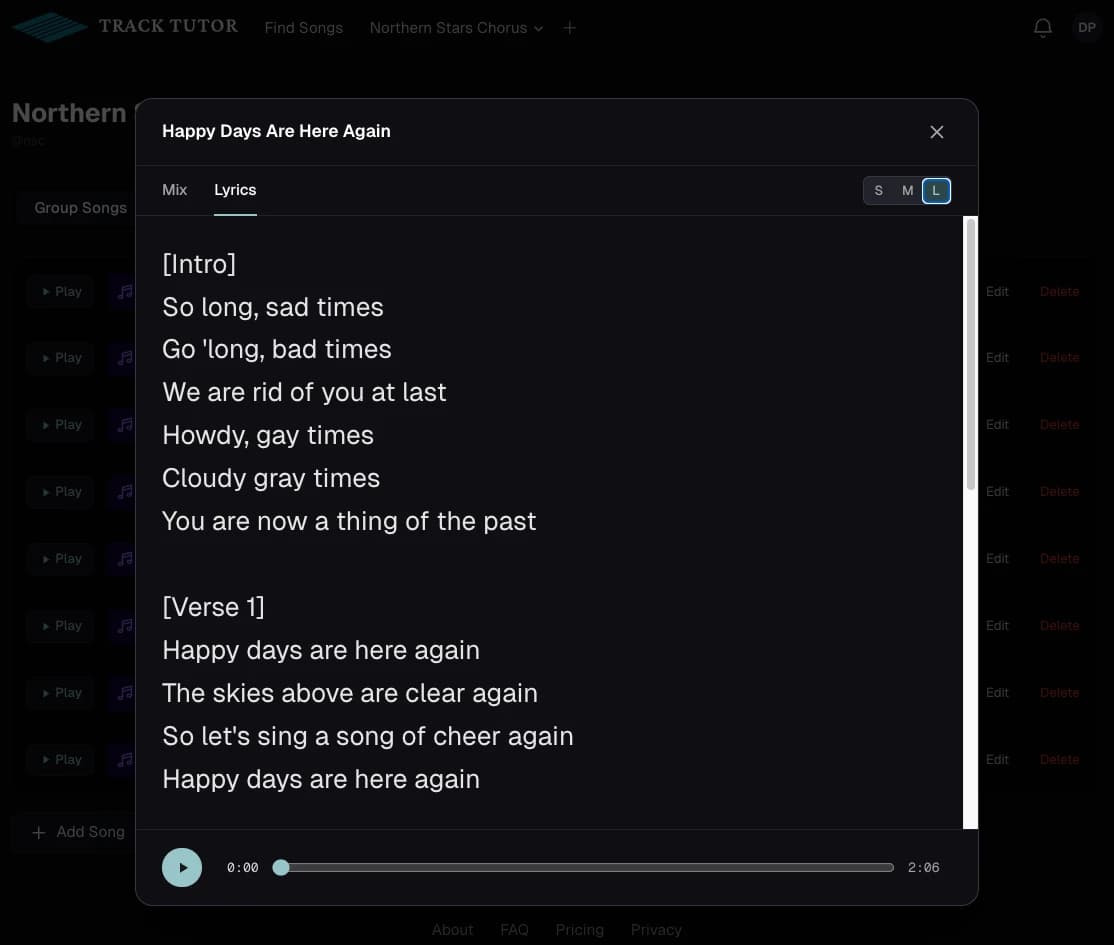
The PRE button highlights one part — your track jumps up, the others drop down — so you can focus on your part in context. Toggle PRE off and the faders return to where they were. And the lyrics are right there in a tab, with adjustable font size for the music stand or the kitchen counter.
Apps for your phone
The web app is where group managers do their work — uploads, playlists, invitations. Singers can use the web app too, but most of them just want to listen. So we built a companion app: Track Tutor Player, for Android and iOS. Same mixer, same playlists, with a couple of additions that only make sense on a phone — songs cache for offline use, lock-screen controls work, and audio keeps playing with the screen off.
Both apps are out now — on the Google Play Store and the App Store.
What's next
Track Tutor is actively under development, which is a polite way of saying we're making it up as we go — but with a roadmap. Additional learning tools and the kind of integrations you'd expect from reasonable adults are on the list. Have feedback or a feature idea? Found a bug? Discord is in the footer; we read it.